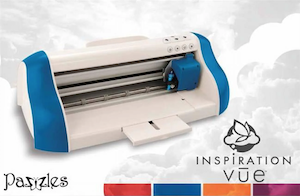
Pazzles, the company, has closed, but the Pazzles Inspiration Vue cutting machines can still be used with Sure Cuts A Lot software.
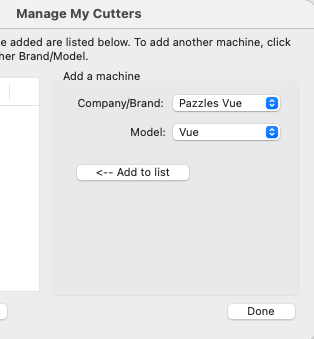
To setup Sure Cuts a Lot with the Pazzles Inspiration Vue cutting machine, go to the Cutter menu -> My Cutter -> Manage Cutters and add Pazzles Vue in the Manage My Cutters window.
If you are using Windows, a USB driver needs to be installed. Click here to download the Pazzles Inspiration Vue Driver here.
If you are using a Mac, no extra driver installation is needed.
Connect your Pazzles Inspiration Vue cutting machine via USB to your computer and you are ready to cut from Sure Cuts A Lot to your Pazzles Inspiration Vue cutting machine.
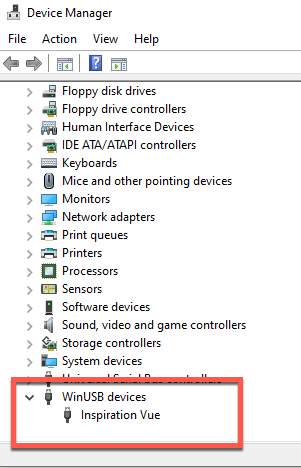
If Sure Cuts A Lot is unable to connect with your Pazzles machine, you can check the Device Manager in Windows to make sure Windows sees the device ok. it should show up in "WinUSB Devices".
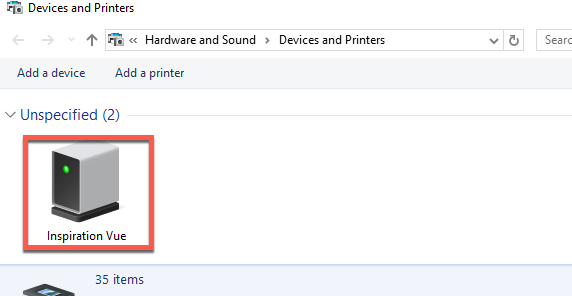
You can also check the Devices and Printers in window to see if there is an entry for "Inspiration Vue"
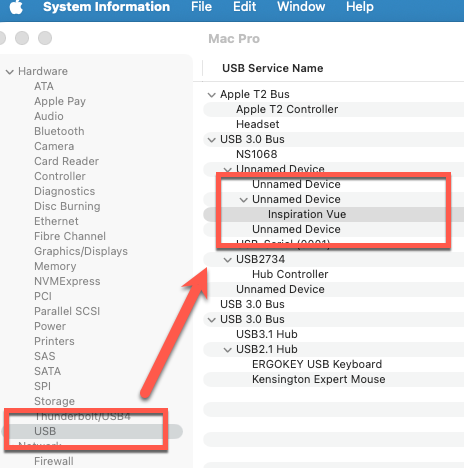
On a Mac, you can check the "System Inforamtion" app and look in the USB section for the "Inspiration Vue"


 Cart
Cart